
Agent surfaces
The assistant you already use can drive all of it
Maestro ships an MCP server. Extract a posting, score it, walk the gaps, render the PDF, all without leaving Claude, the ChatGPT desktop app or the Codex CLI. Unlike SaaS-backed job-search servers, it runs on your machine against your database.
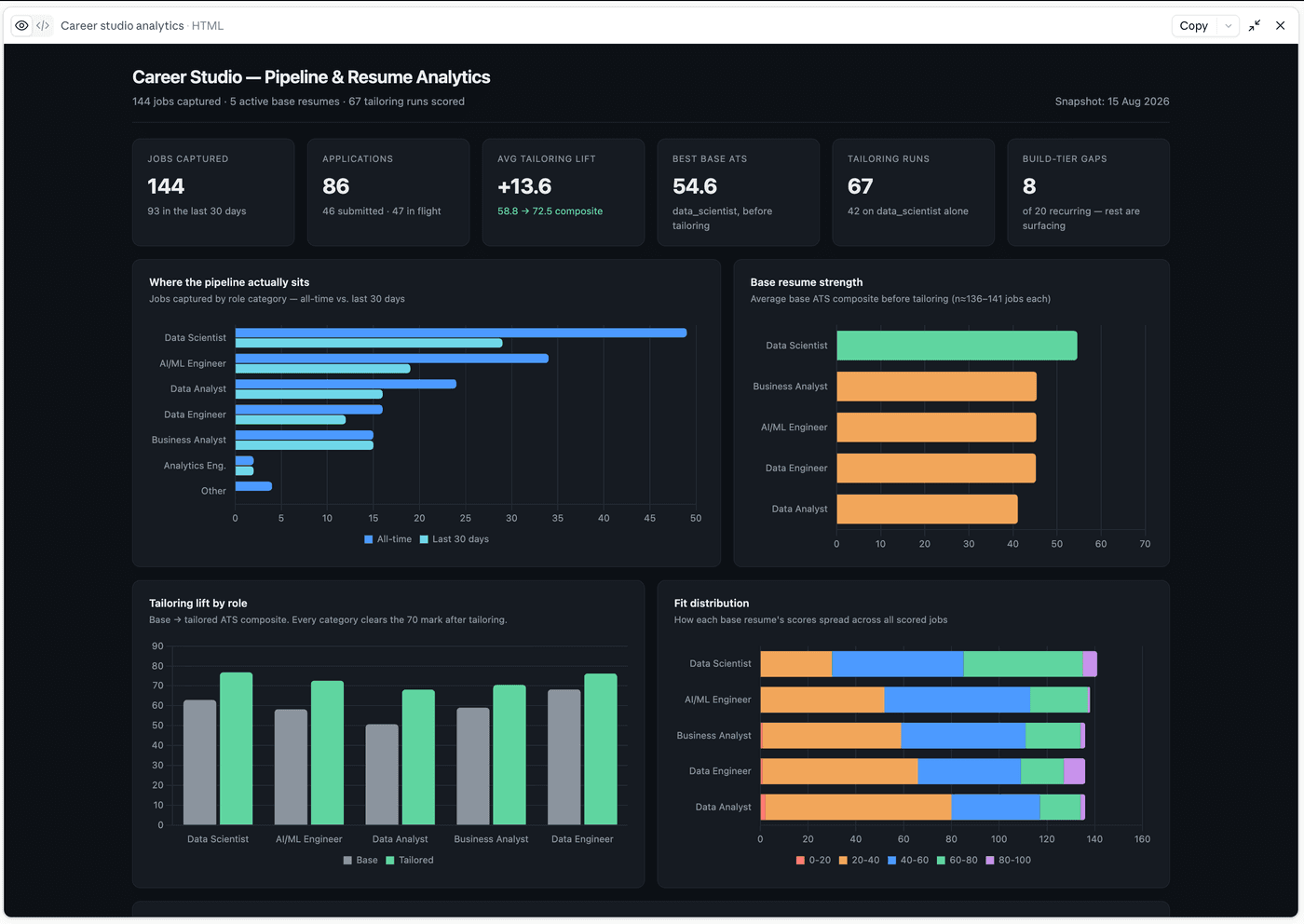
Claude pulling the whole pipeline over MCP and building its own view of it.
Installed from your client's settings
The server runs inside the backend container you already started, which is why the two big clients need no terminal, no config file and no host Python: you pick something in their own settings, and the same declaration is correct on every machine.
Claude Desktop & Claude Code · Settings → Extensions → Install Extension → pick mcpb/maestro-career-studio.mcpb inside the cloned folder. One install covers both
Codex / ChatGPT desktop · Settings → Plugins → add seinun-ai/maestro-career-studio as a marketplace, then Install
Cursor, Windsurf, other stdio clients · ./scripts/setup-mcp.sh prints a paste-ready block per client, the one route that needs a host Python 3.12+
./scripts/setup-mcp.shIf an install misbehaves, both apps also take a hand-written entry: claude_desktop_config.json for Claude Desktop (quit the app fully first: it rewrites that file on exit and silently drops your edit) or ~/.codex/config.toml for Codex. If the hand-written entry connects, the server is fine and the packaging was the problem.
Every route defaults to the full profile, and staying there is fine. Scoped profiles are an opt-in trim: the Claude extension's Tool profile field, the MAESTRO_CS_MCP_PROFILE value in a hand-written entry, or --profile hunt on the script. One profile at a time.
Six profiles, one at a time
All 83 tools
Find, capture, triage, propose
Tailor, render, package
Analytics and market questions
Author and validate designs
Career KB reads and writes
full alongside a scoped profile registers each shared tool twice, so pick one.
Or just ask the assistant to do it
Agents that can edit files and run commands are perfectly capable of wiring this up themselves. Run the script with --print-only, hand the output to Claude Code or the Codex CLI, and ask it to add the server to your config. It knows where those files live and it can merge into them without clobbering your other MCP servers.
Run ./scripts/setup-mcp.sh --print-only, then add the maestro-career-studio server to my MCP config. Merge it in. Don't overwrite the servers already there.Read the diff before you accept it. It is editing a config file that other tools depend on.
No key required
No API key? Your assistant is the model.
Over MCP, Claude or Codex extracts the posting and authors the tailoring edits, and the server applies them through the same honesty gates. The whole capture, score, tailor, render arc plus Career KB and resume upkeep, with no in-house LLM calls at all. If that is how you already work, it is a complete setup on its own.
Hunting
Hunt with the agent you already use
get_job_search_brief hands your agent your preferences, your work-authorization answers word for word, and the guardrails you configured. A Claude or Codex session then finds postings on whatever boards it can read, captures them, scores them against your bases and hands back a ranked shortlist.
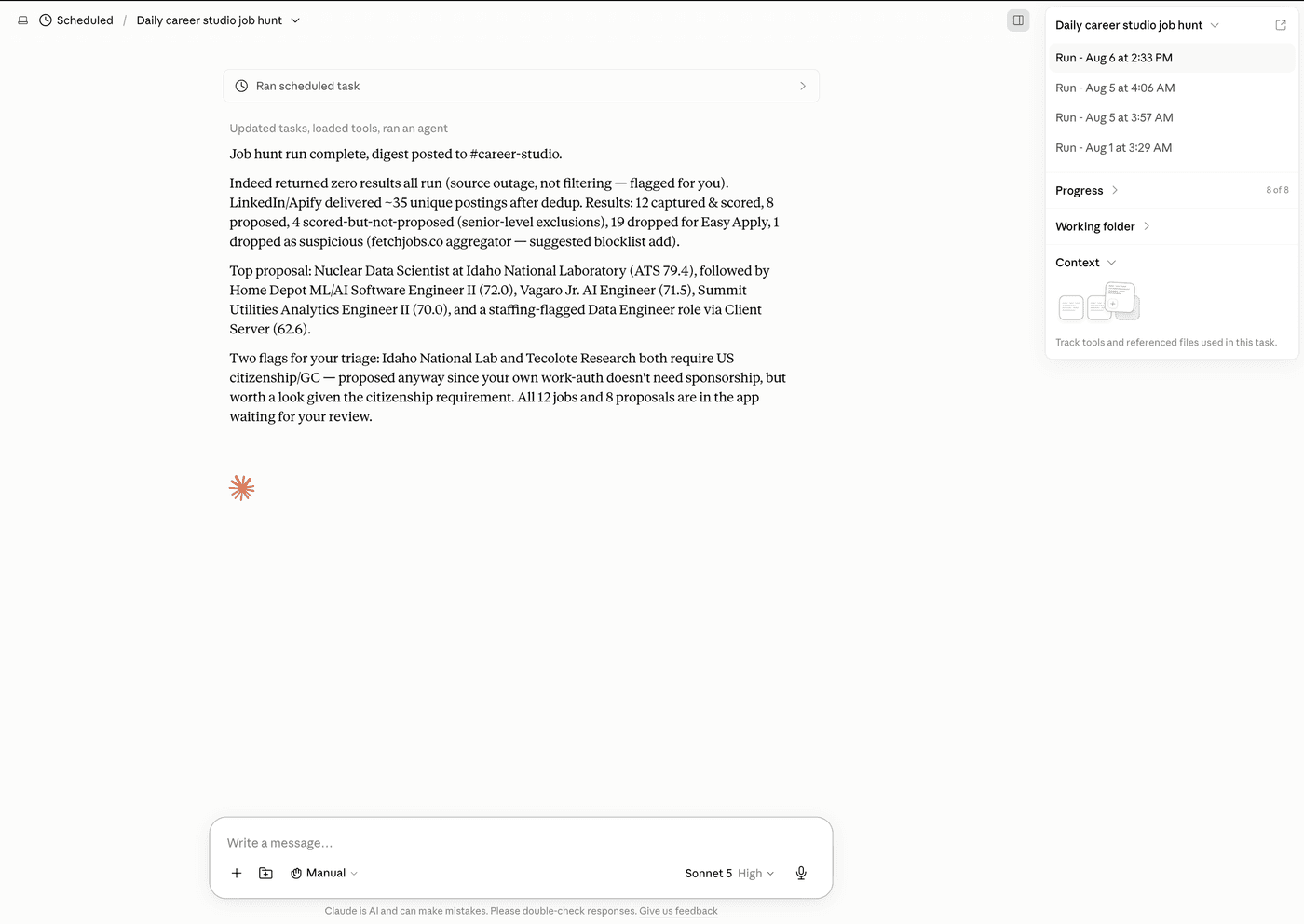
No board integration to get locked into. No scraper to break. The agent reads what you would have read.
The author's own daily prompts ship in docs/agent-prompts/ as starting points to adapt: a scheduled hunt and two apply-session variants, with the personal parts turned into placeholders.
The consent ledger
The proposal ledger
A hunted job becomes a proposal in a staged lane: tailored, rendered and filled without interrupting you at every page. Then it stops. You triage proposals in bulk, and apply runs only touch the ones you accepted. Nothing is ever executed from the web app. Filling and submitting happen inside a live agent session holding a browser, and consent lives in that session, one turn before the click.
Consent is an append-only event, capped daily at a number you set
An agent can't self-certify. Marking a proposal submitted needs a receipt or your own attestation.
A submit click that can't be verified ends as submission_uncertain. Never retried, never re-clicked.
Be clear-eyed about what that consent event is: the agent writes it when it calls the tool, so it records that the agent said you agreed. It gives you attribution after the fact and a hard ceiling on volume; it is not a lock a prompt-injected agent cannot pick. The lane is built to be run while you watch it.
Risks
The risks, plainly
Letting an agent read job pages and drive a browser means three real exposures. The consent gate exists because they're real and unfixable.
Prompt injection
A job posting is untrusted text. Text inside one can try to instruct the agent reading it.
Unverified employers
A hunted posting isn't a vetted one, and an application carries your contact details and work history to whoever posted it.
Bot detection
Some employers filter applications that look automated, and we won't help you hide. No stealth automation, no CAPTCHA bypass, no headless submitting.
Use the lane on jobs you've looked at yourself. Everything it does is written down.